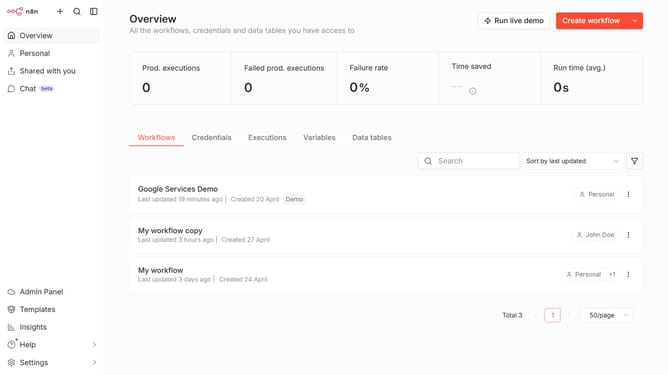
How to create OpenRouter credential in n8n
Here is how to create openrouter credential in n8n
- First click on the dropdown arrow next to "Create workflow" button
- Then click on "Create credential" button
- Next click on the "Search for app..." input field and enter "OpenRouter"
- Then click on "OpenRouter" from the list of applications
- After that click on the "Continue" button
- Next fill in the "API Key *" input field
- Finally click on the "Save" button
Why should you create OpenRouter credential in n8n
n8n is a versatile automation tool designed to streamline workflows by connecting various applications.
Creating an OpenRouter credential in n8n enhances your ability to securely integrate network-related workflows without hassle.
This feature offers seamless connectivity, enabling efficient data exchange while ensuring that your automation processes remain efficient and secure.
Using OpenRouter credentials in n8n not only increases operational efficiency but also strengthens the security framework of your workflow integrations.
Last update