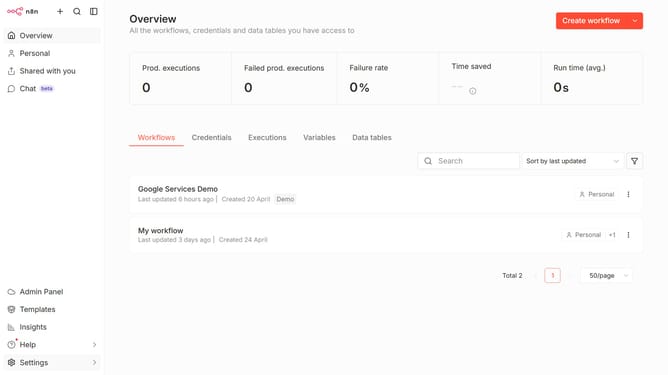
How to create Microsoft SharePoint OAuth2 API credential in n8n
Here is how to create microsoft sharepoint oauth2 api credential in n8n
- First click on the dropdown arrow next to "Create workflow" button
- Then click on "Create credential" button
- Then click on the search bar and type in "Sharepoint"
- Then click on "Microsoft SharePoint OAuth2 API"
- Then click on "Continue" button
- Finally click on "Connect to Microsoft SharePoint" button
Why should you create Microsoft SharePoint OAuth2 API credential in n8n
n8n is a powerful automation platform that enables seamless integration between various apps and services.
Creating Microsoft SharePoint OAuth2 API credentials in n8n streamlines access management, enhancing your automation workflows.
With OAuth2 credentials, you ensure secure and efficient data exchange between n8n and SharePoint, minimizing manual input and maximizing productivity.
This integration remains pivotal for businesses, fostering a secure and efficient environment that reduces operational complexity while safeguarding sensitive information.
Last update