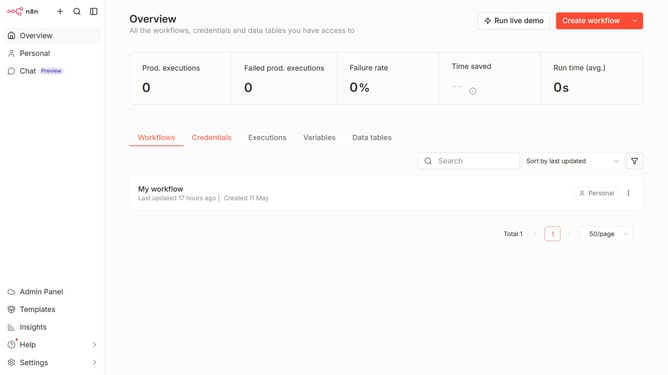
How to filter workflows by status (Unpublished) in n8n
Here is how to filter workflows by status (unpublished) in n8n
- First click on "Workflows" button in the header menu
- Then click on the filter icon
- Next click on the "Status" dropdown menu in the filters section
- Finally click on the "Unpublished" option in the status filter
Why should you filter workflows by status (Unpublished) in n8n
n8n is a powerful, open-source automation tool that lets you connect and orchestrate workflows seamlessly across different applications.
One standout feature in n8n is the ability to filter workflows by their status, such as "Unpublished." This feature allows users to easily manage and organize workflows that are still in the development phase or awaiting approval.
By filtering workflows by their status, users can focus efficiently on specific tasks, ultimately saving time and enhancing productivity. This capability makes workflow management more intuitive and streamlined within n8n.
Last update