How to create SurveyMonkey OAuth2 API credential in n8n
Here is how to create surveymonkey oauth2 api credential in n8n
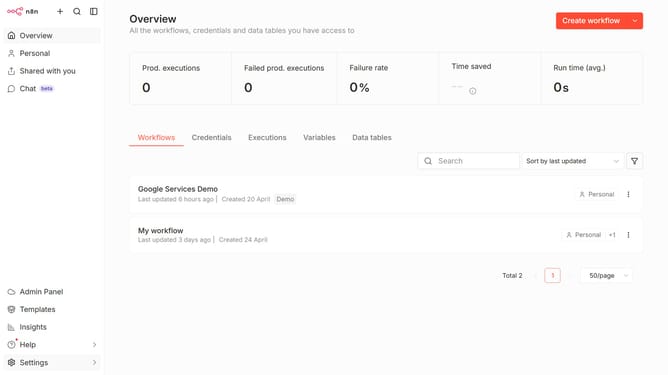
- First click on the dropdown arrow next to "Create workflow" button
- Then click on "Create credential" option
- Next, click on the "Search for app..." input field
- Then type "SurveyMonkey" into the search field and click on "SurveyMonkey OAuth2 API"
- After that, click on the "Continue" button
- Next, fill in the credential details
- Finally, click on the "Connect to SurveyMonkey" button
Why should you create SurveyMonkey OAuth2 API credential in n8n
n8n is a powerful automation tool designed to streamline workflows by connecting various applications effortlessly.
Creating SurveyMonkey OAuth2 API credentials in n8n enriches this integration, enabling seamless data exchange between SurveyMonkey and other platforms.
This feature ensures secure and efficient authentication, minimizing the hassle of managing multiple login details while safeguarding sensitive information.
Utilizing this capability enhances productivity and fosters more insightful data-driven decisions by maintaining an uninterrupted flow of survey analytics into your business processes.
Last update