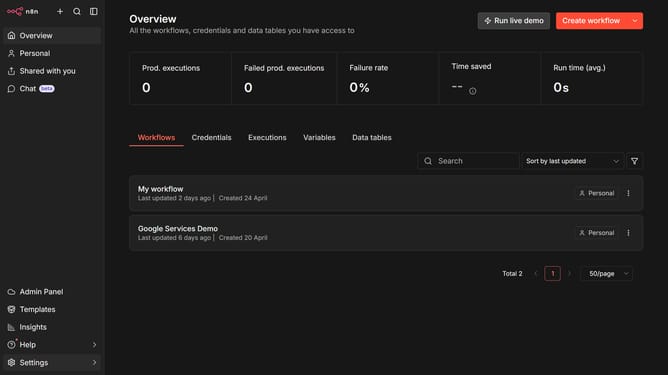
How to create Supabase API credential in n8n
Here is how to create supabase api credential in n8n
- First, click on the dropdown arrow next to the "Create workflow" button
- Then, click on the "Create credential" option
- Next, click on the search bar and enter "Supabase"
- Then, click on "Supabase API" from the search results
- Click on the "Continue" button
- Fill in your credential details
- Finally, click on the "Save" button
Why should you create Supabase API credential in n8n
n8n is a powerful workflow automation tool that enables seamless connectivity between various applications.
Creating Supabase API credentials in n8n strengthens your automation capabilities by securely integrating Supabase database functions into your workflows. This feature streamlines data management tasks, allowing you to optimize your business operations with a few simple steps.
By harnessing this integration, you can enhance your application's efficiency and ensure smooth data transactions, ultimately improving productivity and relieving your team's workload.
Last update