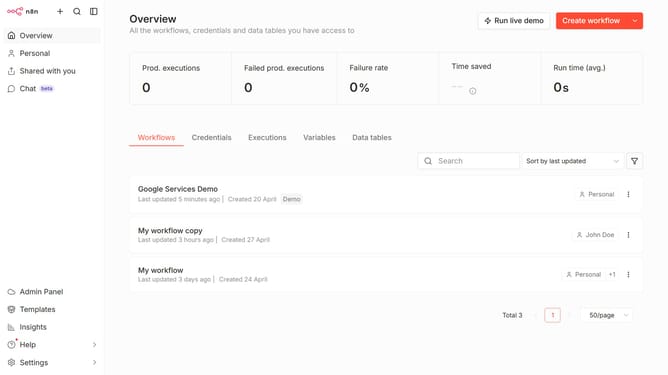
How to create Zep API credential in n8n
Here is how to create zep api credential in n8n
- First click on the 'Create workflow' button
- Then click on the dropdown arrow next to 'Create workflow'
- Then type 'Zep' into the search bar
- Next select 'Zep Api' from the dropdown list
- Then click on the 'Continue' button
- Then fill in the 'API Key' input field
- Finally click on the 'Save' button
Why should you create Zep API credential in n8n
n8n is an intuitive workflow automation tool that connects different apps and services without coding.
Creating Zep API credentials in n8n streamlines secure and efficient communication between your automated workflows and the Zep service.
By integrating the Zep API, users can harness advanced capabilities to enhance their processes. This integration ensures data flows seamlessly and tasks are effortlessly managed.
The ease of setup coupled with enhanced security makes this feature a valuable asset for optimizing your workflows.
Last update