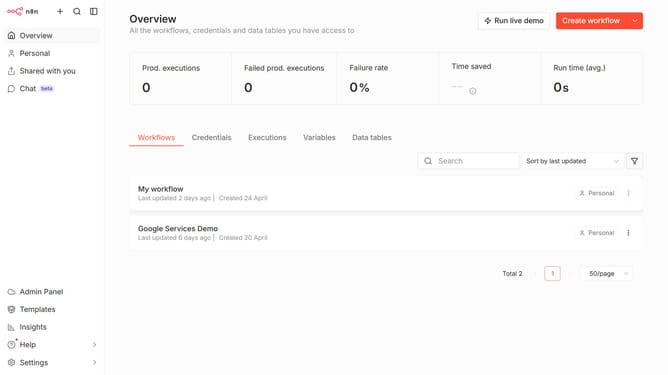
How to create NASA API credential in n8n
Here is how to create nasa api credential in n8n
- First click on the dropdown arrow next to 'Create workflow' button
- Then click on 'Create credential' button
- Then click on the search bar and enter 'NASA'
- Then click on the 'NASA API' search result
- Then click on the 'Continue' button
- Then fill in the 'API Key' input field
- Finally click on the 'Save' button
Why should you create NASA API credential in n8n
n8n is a powerful workflow automation tool designed to connect different services seamlessly without code.
Integrating the NASA API credential into n8n enhances the exploration of vast NASA data archives directly within automated workflows.
This feature allows users to leverage NASA's open data for innovative projects, fueling creativity and making complex data more accessible.
Utilizing NASA API credentials in n8n highlights the benefit of simplifying data integration, accelerating project execution, and expanding analytic capabilities.
Last update