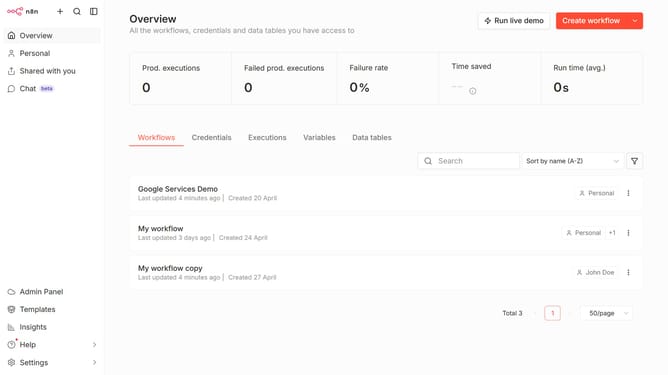
How to create Linear API credential in n8n
Here is how to create linear api credential in n8n
- First click on the dropdown arrow next to 'Create workflow' button
- Then click on 'Create credential' button
- Then in the 'Add new credential' modal, type 'linear' in the search input
- Then select 'Linear API' from the list of apps
- Then click on the 'Continue' button
- Then in the 'Linear account' form, fill in the necessary input fields
- Finally click on the 'Save' button
Why should you create Linear API credential in n8n
n8n is a powerful tool for automating workflows and connecting various applications seamlessly.
Creating Linear API credentials within n8n empowers users to bridge their Linear tasks into fluid workflow automation.
Integrating Linear with n8n brings enhanced productivity, ensuring every detail in project management is captured and utilized efficiently.
Leveraging Linear API credentials in n8n amplifies your workflow flexibility, providing tailored automation without boundary limitations.
Last update