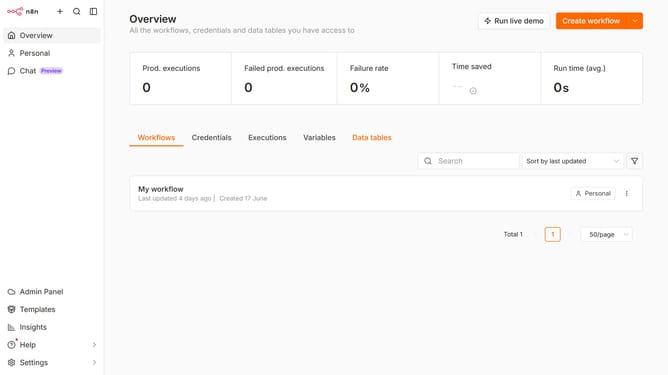
How to create Azure Open AI credential in n8n
Here is how to create azure open ai credential in n8n
- First click on the dropdown arrow next to "Create workflow" button
- Then click on "Create credential" button
- Next click on "Azure Open AI" link
- Then click on the "Continue" button
- Enter the necessary information for your new credential
- Finally click on the "Save" button
Why should you create Azure Open AI credential in n8n
n8n is a powerful workflow automation tool designed to connect apps and synchronize data seamlessly.
Creating an Azure Open AI credential in n8n significantly enhances your workflow by integrating cutting-edge AI capabilities directly into your automation processes.
This feature allows for streamlined access to Azure's advanced AI functionalities, facilitating smarter data processing and decision-making.
By implementing this feature, you leverage the robust AI infrastructure of Azure without leaving the intuitive environment of n8n, optimizing your tasks with ease.
Last update