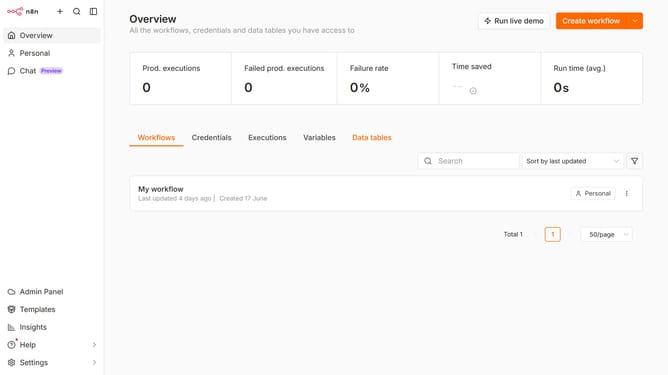
How to create YouTube OAuth2 API credential in n8n
Here is how to create youtube oauth2 api credential in n8n
- First click on the dropdown arrow next to "Create workflow" button.
- Then click on the "Create credential" button.
- Then click on the "Search for app..." input field.
- Then type "Youtube" in the search bar and click on "YouTube OAuth2 API".
- Then click on the "Continue" button.
- Then fill in the required credential details.
- Then click on the "Sign in with Google" button.
Why should you create YouTube OAuth2 API credential in n8n
n8n is an open-source workflow automation tool that connects various services, enhancing productivity and efficiency.
Creating YouTube OAuth2 API credentials in n8n allows seamless interaction between your workflows and YouTube, unlocking a world of automated possibilities.
Utilizing YouTube OAuth2 API credentials in n8n is pivotal for maintaining secure authentication, ensuring data integrity, and enabling advanced video management capabilities within automated workflows.
This integration simplifies complex processes, saving time and reducing manual tasks, thereby streamlining your digital operations.
Last update