How to create Rapid7 InsightVM API credential in n8n
Here is how to create rapid7 insightvm api credential in n8n
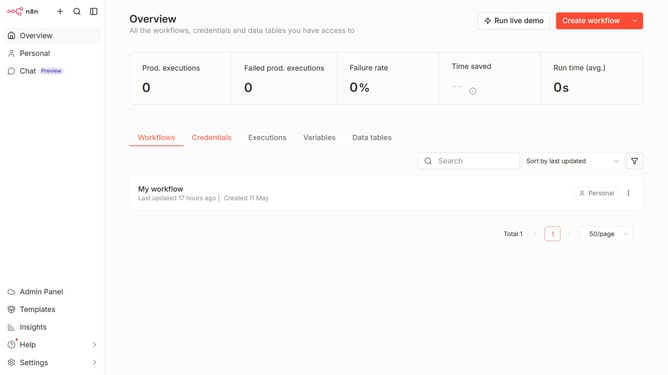
- First click on the dropdown arrow next to "Create workflow" button
- Then click on "Create credential" option
- Next click the search bar and type in "Rapid"
- Then click on the "Rapid7 InsightVM API" item
- After that click on the "Continue" button
- Next fill in the required credential details
- Finally click on the "Save" button
Why should you create Rapid7 InsightVM API credential in n8n
n8n is a versatile workflow automation tool that empowers users to connect apps and streamline processes effortlessly.
Creating Rapid7 InsightVM API credentials in n8n enhances security automation by allowing seamless communication between n8n and InsightVM.
This integration ensures that vulnerability management tasks are automated, significantly reducing manual effort and risk.
Enjoy the benefits of efficient reporting and real-time insights by leveraging this powerful combination, enabling teams to focus on higher-value tasks.
Last update