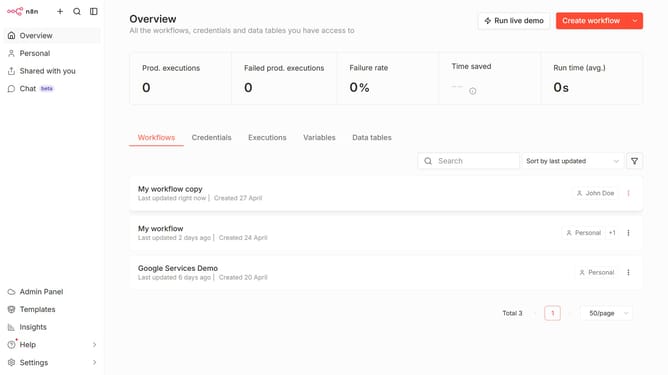
How to create Sekoia API credential in n8n
Here is how to create sekoia api credential in n8n
- First click on the dropdown arrow next to "Create workflow" button
- Then click on "Create credential" button
- Then click on the search input field and enter "Sekoia"
- Then click on "Sekoia API" option
- Then click on "Continue" button
- Then fill in the input field for "API Key"
- Finally click on the "Save" button
Why should you create Sekoia API credential in n8n
n8n is a versatile automation platform, empowering users to connect a diverse array of apps and services seamlessly.
Creating Sekoia API credentials in n8n enhances integration capabilities, allowing for streamlined workflows between Sekoia's security insights and n8n's automation features.
This feature offers immense value by simplifying the process of harnessing Sekoia's data, enabling users to implement automated, data-driven decisions effectively.
Ultimately, this leads to optimized operations and increased productivity, enriching the overall user experience.
Last update