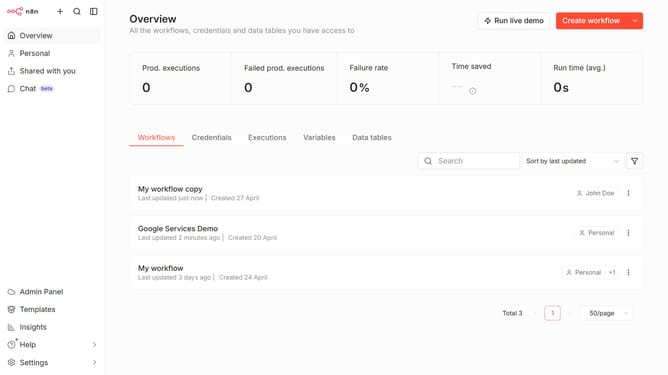
How to create Twist OAuth2 API credential in n8n
Here is how to create twist oauth2 api credential in n8n
- Then click on the dropdown arrow next to "Create workflow"
- Then click on "Create credential" from the dropdown menu
- Then click on the search bar and enter "Twist"
- Then select "Twist OAuth2 API" from the list of applications
- Then click on the "Continue" button
- Then fill in the required credential details
- Finally click on the "Connect to Twist" button
Why should you create Twist OAuth2 API credential in n8n
n8n is an open-source workflow automation tool for seamless digital integrations.
Creating a Twist OAuth2 API credential in n8n unlocks powerful automation capabilities for seamless interaction between n8n and the Twist communication platform.
By setting up OAuth2 credentials, users can securely authenticate and automate tasks, enhancing collaboration without compromising security. This feature ensures smooth data exchange, empowering teams to maintain efficiency and productivity with minimal manual intervention.
Last update