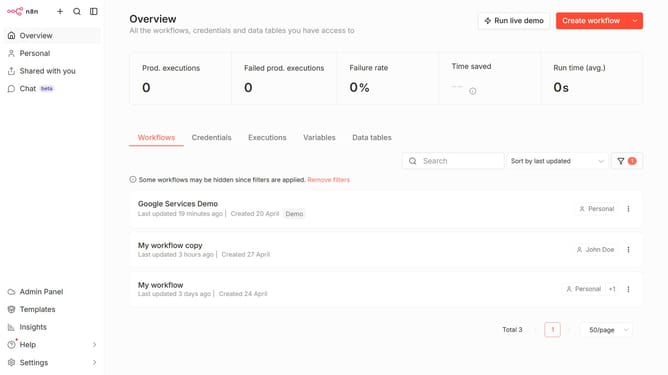
How to create Todoist OAuth2 API credential in n8n
Here is how to create todoist oauth2 api credential in n8n
- First click on the dropdown arrow next to "Create workflow" in the top menu
- Then click on "Create credential"
- Next, in the "Add new credential" modal, type "Todoist" in the "Search for app..." input field
- Then select "Todoist OAuth2 API" from the search results
- After that, click on the "Continue" button
- Finally, click on the "Connect to Todoist" button
Why should you create Todoist OAuth2 API credential in n8n
n8n is a powerful automation tool designed to connect different apps and automate workflows seamlessly.
Creating Todoist OAuth2 API credentials in n8n allows users to securely connect their Todoist account with their automation workflows.
This integration facilitates the smooth transfer of task data and enhances productivity by automating task management processes across platforms.
Using OAuth2 ensures that the connection remains secure, safeguarding user data while providing a reliable means of communicating between n8n and Todoist.
Last update