How to create Microsoft Teams OAuth2 API credential in n8n
Here is how to create microsoft teams oauth2 api credential in n8n
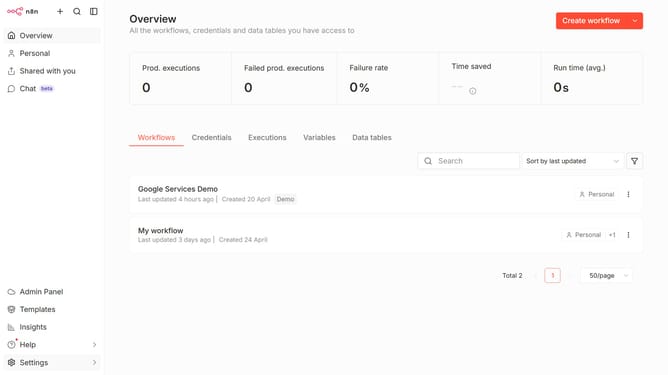
- First click on the dropdown arrow next to "Create workflow" button.
- Then click on the "Create credential" option.
- Then click on the search bar and enter "Teams".
- Then click on the "Microsoft Teams OAuth2 API" option.
- Then click on the "Continue" button.
- Finally click on the "Connect to Microsoft Teams" button.
Why should you create Microsoft Teams OAuth2 API credential in n8n
n8n is an open-source workflow automation tool designed to connect different applications and APIs efficiently.
One of the standout features in n8n is creating Microsoft Teams OAuth2 API credentials.
This process enables seamless integration with Microsoft Teams, allowing automated workflows between Teams and other platforms.
Utilizing this feature ensures secure and efficient data exchange, enhancing productivity and collaboration.
Last update