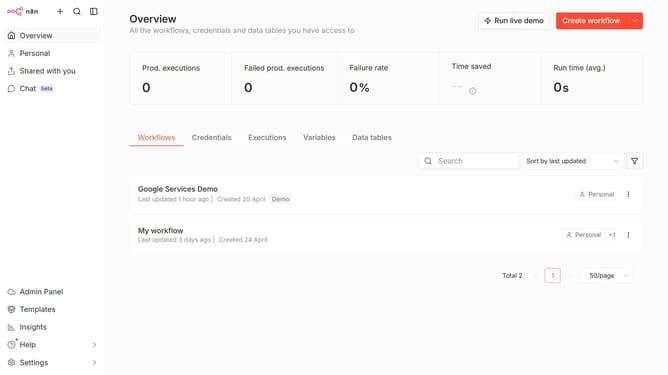
How to create Mistral Cloud API credential in n8n
Here is how to create mistral cloud api credential in n8n
- First click on the dropdown arrow next to "Create workflow" button.
- Then click on "Create credential" button.
- Then click on the "Search for app..." input field and enter "Mistral".
- Then click on "Mistral Cloud API" radio button.
- Then click on "Continue" button.
- Then fill in the "API Key *" input field.
- Finally click on "Save" button.
Why should you create Mistral Cloud API credential in n8n
n8n is a dynamic automation tool that empowers users to connect various applications and automate complex workflows seamlessly.
Integrating Mistral Cloud API credentials with n8n enhances your workflow capabilities by enabling robust data exchange and streamlined process automation.
This feature ensures that users can securely manage their API access, providing a reliable connection to Mistral Cloud services. Implementing this capability helps maximize efficiency and productivity while ensuring data integrity across platforms.
Last update