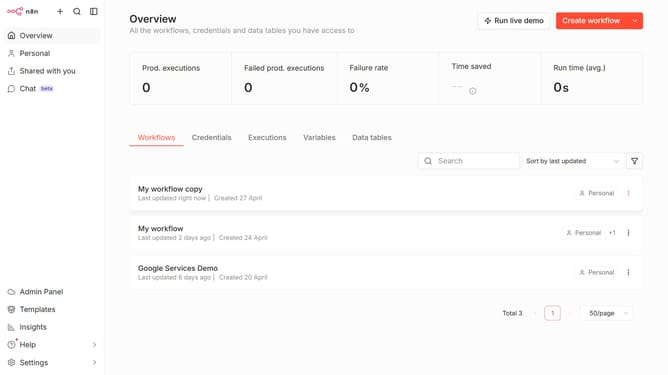
How to create QRadar API credential in n8n
Here is how to create qradar api credential in n8n
- First, click on the dropdown arrow next to 'Create workflow' in the header.
- Then, click on the 'Create credential' button.
- Next, click on the 'Search for app...' input field in the modal.
- Then, type 'Qradar' into the search box and click on 'QRadar API'.
- Next, click on the 'Continue' button.
- Then, fill in the necessary input field.
- Finally, click on the 'Save' button.
Why should you create QRadar API credential in n8n
n8n is a powerful workflow automation tool designed to connect different applications seamlessly.
Creating QRadar API credentials in n8n allows you to effortlessly integrate QRadar's robust security information and event management capabilities into your automated workflows. This feature enhances data collection, threat detection, and simplifies cybersecurity processes.
By utilizing QRadar's API credentials, n8n empowers users to monitor, analyze, and respond to security threats more efficiently, streamlining operations and improving security postures.
Last update