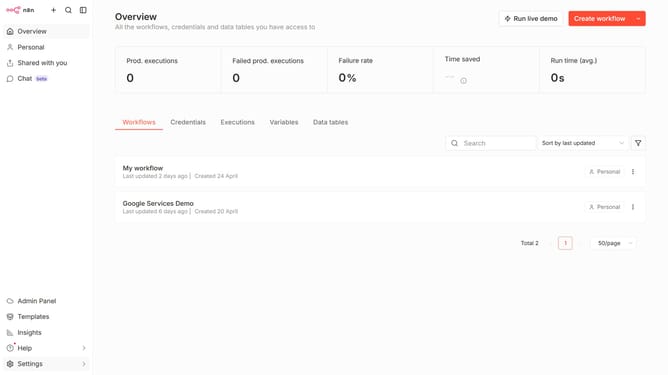
How to create AMQP credential in n8n
Here is how to create amqp credential in n8n
- First click on the dropdown arrow next to 'Create workflow' button
- Then click on 'Create credential' button
- Then select 'AMQP' from the list of applications
- Then click on 'Continue' button
- Then enter the necessary information needed for your credential
- Then click on the 'Save' button
Why should you create AMQP credential in n8n
n8n is a versatile workflow automation tool designed to streamline complex processes with ease.
Creating AMQP credentials in n8n enhances your ability to securely connect and communicate with various message brokers. This feature significantly boosts data integration capabilities, enabling seamless message exchanges across diverse platforms.
Using AMQP credentials in n8n not only strengthens your data transmission security but also maximizes efficiency, leading to a more cohesive and robust automated workflow environment.
Last update