How to create Mailchimp API credential in n8n
Here is how to create mailchimp api credential in n8n
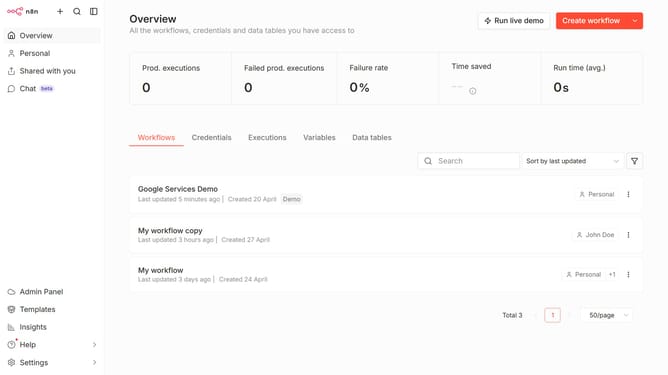
- First click on the "Create workflow" button's dropdown arrow.
- Then click on "Create credential" option.
- Then click on the "Search for app..." input field.
- Then type "mailchimp" into the search field and click on "Mailchimp API" from the suggestions.
- Then click on the "Continue" button.
- Then fill in the "API Key" input field.
- Finally click on the "Save" button.
Why should you create Mailchimp API credential in n8n
n8n is an innovative workflow automation tool designed to seamlessly connect various applications, enhancing productivity and efficiency.
Creating a Mailchimp API credential in n8n empowers users to integrate powerful email marketing capabilities into their automated workflows effortlessly. This feature enables seamless data synchronization between n8n and Mailchimp, allowing for targeted and personalized communication strategies.
By leveraging Mailchimp API credentials within n8n, users can harness the full potential of their customer data, improve engagement, and streamline marketing efforts, ultimately driving growth and efficiency in their operations.
Last update