How to create Microsoft Azure Cosmos DB API credential in n8n
Here is how to create microsoft azure cosmos db api credential in n8n
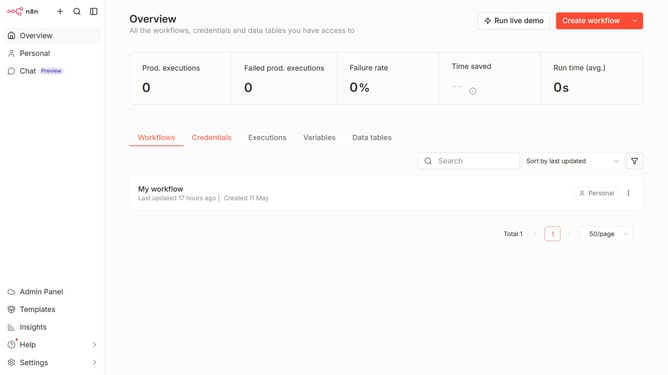
- First click on the dropdown arrow next to 'Create workflow' button
- Then click on 'Create credential' button
- Next, click on the search input field
- Then type 'microsoft azure' into the search field and click on 'Microsoft Azure Cosmos DB API' option
- After that, click on the 'Continue' button
- Then fill in the required credential details
- Finally click on the 'Save' button
Why should you create Microsoft Azure Cosmos DB API credential in n8n
n8n is a versatile open-source workflow automation tool designed to connect different services with ease.
Creating Microsoft Azure Cosmos DB API credentials in n8n empowers users to seamlessly integrate and manipulate data within their workflows, enhancing productivity.
This feature ensures smooth communication between Cosmos DB and n8n, enabling efficient data handling and automated processes.
By simplifying API credential creation, it saves time and minimizes errors, facilitating a more streamlined workflow experience.
Last update