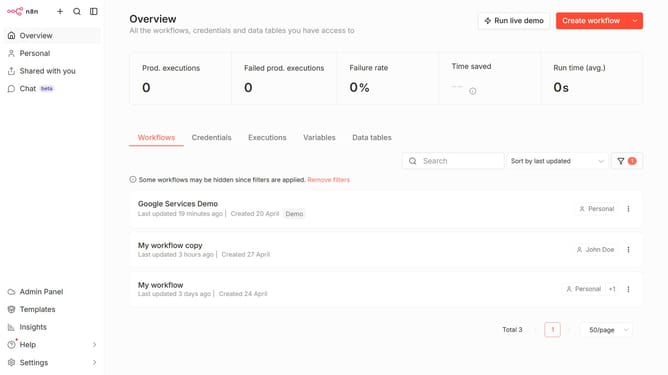
How to create DeepL API credential in n8n
Here is how to create deepl api credential in n8n
- Then click on the dropdown arrow next to "Create workflow" button
- Then click on "Create credential" button
- Then click on the text input field with placeholder "Search for app..."
- Then type "deepl" into the search input field and click on the "DeepL API" button
- Then click on the "Continue" button
- Then paste in your API Key on the text input field for "API Key"
- Then click on the "Save" button
Why should you create DeepL API credential in n8n
n8n is a powerful yet flexible workflow automation tool that connects different applications seamlessly.
Creating DeepL API credentials within n8n significantly enhances workflow efficiency by enabling precise translation tasks across diverse platforms.
This feature ensures real-time multilingual communication, crucial for global businesses aiming to transcend language barriers.
Ultimately, integrating DeepL's robust translation capabilities into n8n workflows streamlines processes and fosters innovative automation solutions.
Last update