How to create Rocket API credential in n8n
Here is how to create rocket api credential in n8n
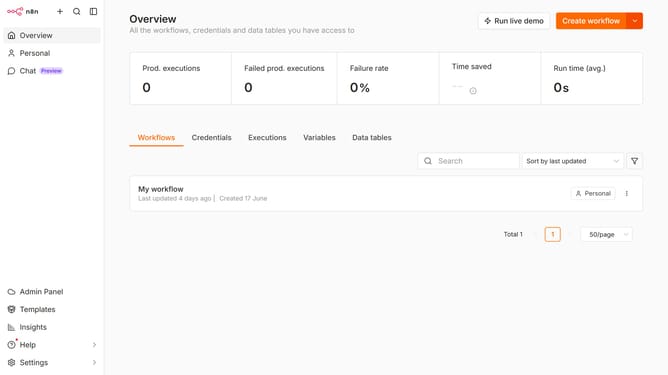
- First click on the down arrow next to "Create workflow" button.
- Then click on "Create credential" option to create a new credential.
- Next, in the "Add new credential" modal, click on the "Search for app..." input field.
- Then type "Rocket" into the search field and select "Rocket API" from the list.
- After selecting the API, click on the "Continue" button.
- In the "Rocket account" configuration screen, fill in the credential details.
- Finally, click on the "Save" button to save the credential.
Why should you create Rocket API credential in n8n
n8n is an open-source workflow automation tool that streamlines complex processes by connecting various applications.
Creating Rocket API credentials in n8n enhances its ability to interact seamlessly with Rocket services, optimizing workflow integration for users. This feature allows developers to automate and manage tasks more efficiently, reducing manual intervention and potential errors.
By enabling Rocket API credentials within n8n, users benefit from a cohesive automation experience, ensuring productivity and precision in task execution.
Last update