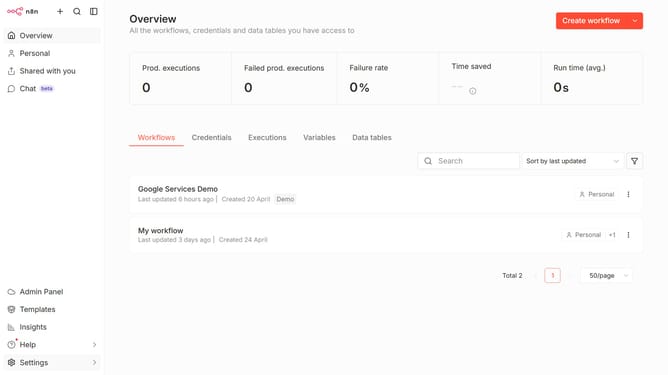
How to create ClickUp API credential in n8n
Here is how to create clickup api credential in n8n
- First click on the dropdown arrow next to "Create workflow" button in the header
- Then click on "Create credential" button from the dropdown menu
- Next, click on "ClickUp API" in the modal window
- Then click on the "Continue" button
- After that, enter your access token in the "Access Token" input field
- Finally click on the "Save" button
Why should you create ClickUp API credential in n8n
n8n is a powerful workflow automation tool designed to connect various apps and services seamlessly.
Creating ClickUp API credentials in n8n streamlines your task management by efficiently syncing data between ClickUp and other platforms. This integration helps automate routine tasks, saving time and enhancing productivity.
By leveraging ClickUp API credentials, you ensure seamless data flow in n8n, allowing you to focus on strategic initiatives rather than manual data entry.
Experience improved operational efficiency and better decision-making through this straightforward integration.
Last update