How to create Unleashed API credential in n8n
Here is how to create unleashed api credential in n8n
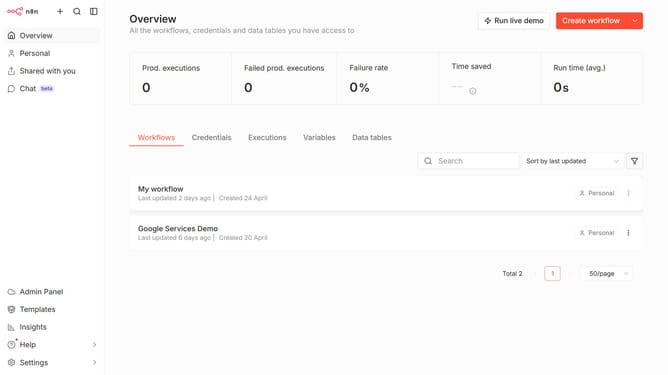
- First click on the dropdown arrow next to "Create workflow" button
- Then click on "Create credential" button
- Then enter "Unleashed" in the search input
- Then click on "Unleashed API" option
- Then click on "Continue" button
- Then fill in the credential details
- Finally click on the "Save" button
Why should you create Unleashed API credential in n8n
n8n is a dynamic workflow automation tool designed to streamline your processes by connecting diverse apps and services effortlessly.
Creating Unleashed API credentials in n8n unlocks efficient integration between your inventory management and automation workflows. This feature simplifies data synchronization, ensuring your business operations remain smooth and consistent.
Utilizing Unleashed API credentials in n8n enhances accuracy and saves time, allowing your team to focus on strategic tasks rather than repetitive data entry.
Last update