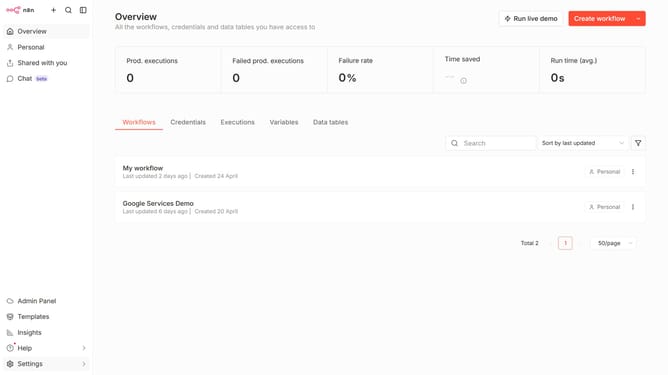
How to create Cohere API credential in n8n
Here is how to create cohere api credential in n8n
- First click on the dropdown arrow next to "Create workflow" button.
- Then click on "Create credential" option.
- Next click on "Cohere API" link in the "Add new credential" modal.
- Then click on the "Continue" button.
- Next enter your API Key in the input field labeled "API Key".
- Finally click on the "Save" button.
Why should you create Cohere API credential in n8n
n8n is a powerful automation tool designed to facilitate seamless task execution across different applications and services.
Creating Cohere API credentials in n8n enables users to effortlessly integrate advanced language processing capabilities into their workflows.
This feature empowers businesses by streamlining complex data processing tasks, ultimately increasing operational efficiency and productivity.
By leveraging this functionality, users can unlock the full potential of their data in a structured, automated manner, enhancing overall workflow effectiveness.
Last update