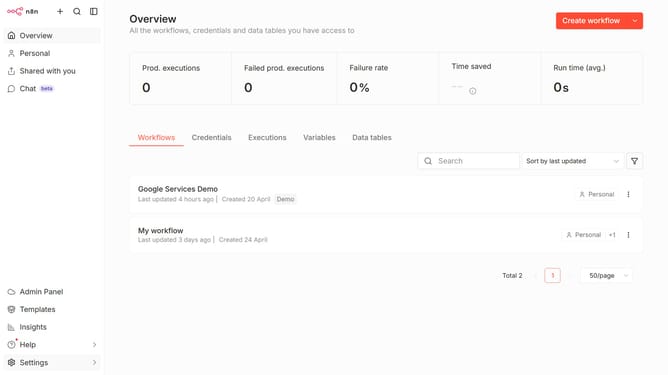
How to create Webflow MCP OAuth2 credential in n8n
Here is how to create webflow mcp oauth2 credential in n8n
- First click on the dropdown arrow next to "Create workflow" button
- Then click on "Create credential" option
- Click on the search bar and enter "Webflow"
- Then select "Webflow MCP OAuth2" from the list
- Click on the "Continue" button
- Finally click on "Connect to Webflow" button
Why should you create Webflow MCP OAuth2 credential in n8n
n8n is a powerful automation tool that empowers users to orchestrate workflows across diverse systems seamlessly.
Creating Webflow MCP OAuth2 credentials in n8n is a vital step for integrating Webflow into automated workflows. By doing this, users can unlock the ability to automate tasks across platforms, allowing seamless control and management over Webflow projects.
This integration not only enhances efficiency but also provides a streamlined experience by reducing manual intervention. Embracing this feature in n8n helps to foster innovation and optimize operational processes effortlessly.
Last update