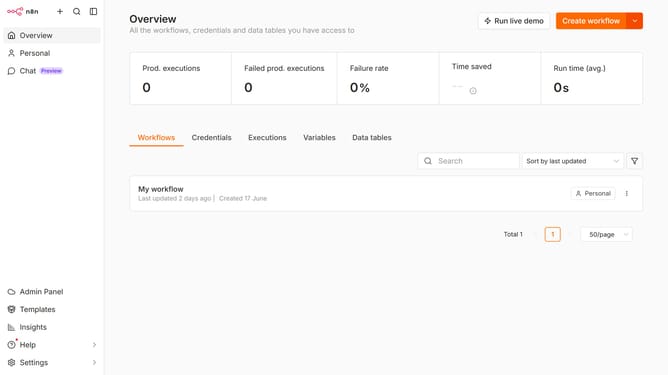
How to create HubSpot OAuth2 API credential in n8n
Here is how to create hubspot oauth2 api credential in n8n
- First click on the "Create workflow" button dropdown.
- Then click on "Create credential" option.
- Next click on the "Search for app..." input field and enter "hubspot".
- Then select "HubSpot OAuth2 API" from the list.
- After that click on the "Continue" button.
- Finally click on the "Connect to HubSpot" button.
Why should you create HubSpot OAuth2 API credential in n8n
n8n is a powerful automation tool that seamlessly connects various applications and services to streamline workflows.
Creating HubSpot OAuth2 API credentials in n8n allows users to securely connect and automate processes with HubSpot, enhancing productivity.
With OAuth2, users benefit from improved security by managing access permissions efficiently and ensuring sensitive data remains protected.
This integration fosters a smoother workflow, saving time and effort while enabling advanced automation tasks within your HubSpot ecosystem.
Last update