How to create Chat OAuth2 API credential in n8n
Here is how to create chat oauth2 api credential in n8n
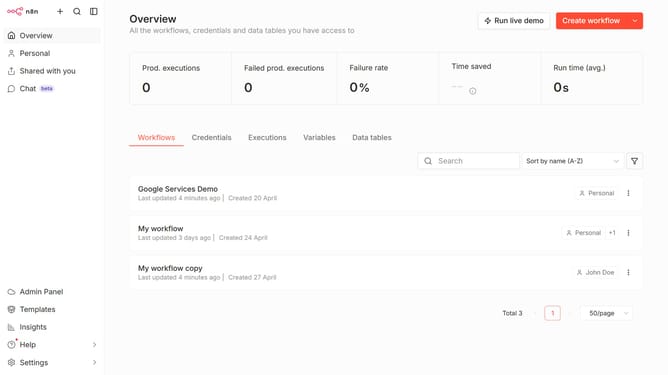
- First click on the dropdown arrow next to "Create workflow" button
- Then click on "Create credential" option
- Next click on "Chat OAuth2 API" in the list of applications
- Then click on the "Continue" button
- After that enter the necessary information for your new credential
- Finally click on the "Sign in with Google" button
Why should you create Chat OAuth2 API credential in n8n
n8n is a versatile automation platform that empowers users to integrate various workflows seamlessly.
Creating Chat OAuth2 API credentials in n8n allows secure communication with external applications, unlocking powerful automation possibilities.
This feature enhances security by ensuring that data exchanges between systems are protected, maintaining user privacy and integrity.
By leveraging OAuth2 API credentials in n8n, users can automate complex operations while minimizing the risk of compromised credentials, streamlining their digital interactions effectively.
Last update