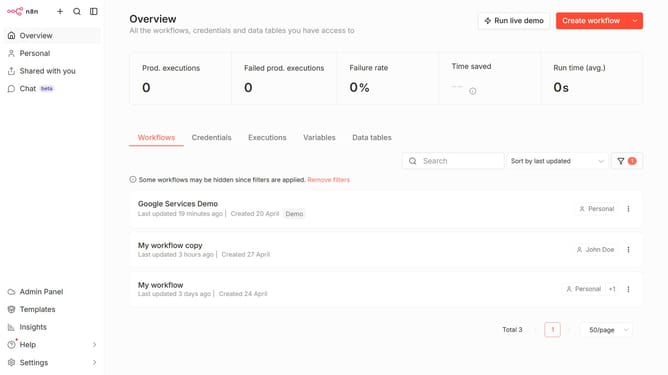
How to create Query Auth credential in n8n
Here is how to create query auth credential in n8n
- First click on the button with the text "Create workflow" and a dropdown arrow.
- Then click on "Create credential" button.
- Then click the search bar and enter "Query".
- Then click on the "Query Auth" element.
- Then click on the "Continue" button.
- Then fill in the credential details.
- Finally click on the "Save" button.
Why should you create Query Auth credential in n8n
n8n is an innovative workflow automation tool that empowers users to connect and automate different systems with ease.
Creating Query Auth credentials in n8n allows for a seamless and secure way to manage and authenticate API requests. This feature ensures that your workflows can interact with external services without compromising on privacy or security.
Utilizing Query Auth credentials streamlines data handling across applications, enhancing connectivity and efficiency in your automated processes. This process not only simplifies integration but also optimizes performance by reducing manual authentication efforts.
Last update