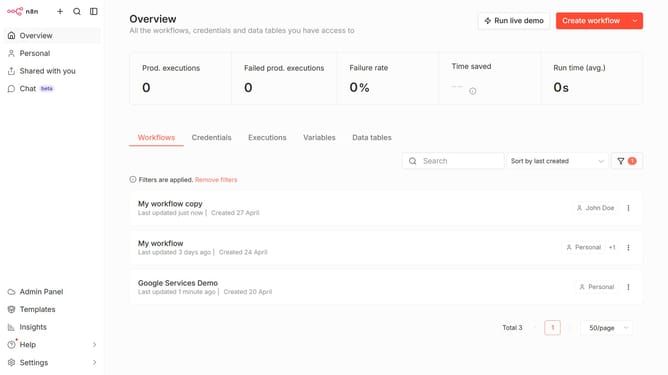
How to create Google Firebase Cloud Firestore OAuth2 API credential in n8n
Here is how to create google firebase cloud firestore oauth2 api credential in n8n
- Then click on the dropdown arrow next to "Create workflow" button
- Then click on "Create credential" option
- Then click on the "Search for app..." input field and enter "google firebase"
- Then click on the "Google Firebase Cloud Firestore OAuth2 API" radio button
- Then click on the "Continue" button
- Then fill in the necessary input fields
- Then click on the "Sign in with Google" button
Why should you create Google Firebase Cloud Firestore OAuth2 API credential in n8n
n8n is a powerful automation tool that seamlessly connects different services and applications, simplifying complex workflows.
Creating Google Firebase Cloud Firestore OAuth2 API credentials in n8n enhances the integration with Firebase services, providing a secure and seamless communication channel. This feature allows users to automate data interactions and streamline operations effectively.
Using these credentials within n8n can significantly boost productivity by automating and simplifying tasks associated with Google Firebase Cloud Firestore, ultimately leading to efficient workflow management.
Last update