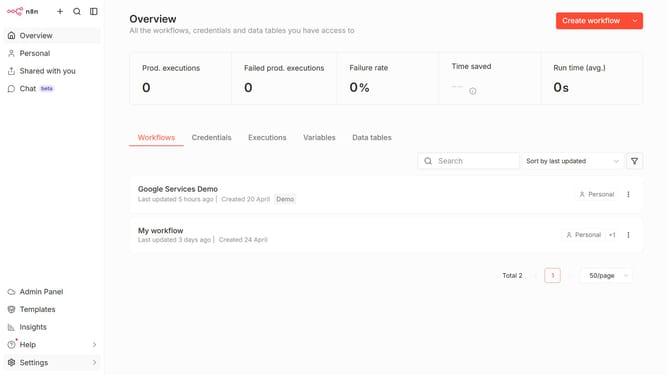
How to create Git credential in n8n
Here is how to create git credential in n8n
- First click on the dropdown arrow next to "Create workflow" button in the header.
- Then click on the "Create credential" button.
- Next, in the "Add new credential" modal, click on the "Search for app..." input field.
- After that, type "git" into the search field and click on the "Git" option.
- Now, click on the "Continue" button.
- Then, in the "Git account" section, fill in the input fields.
- Finally, click on the "Save" button.
Why should you create Git credential in n8n
n8n is an innovative workflow automation tool that allows users to connect various apps and services to streamline processes effortlessly.
Incorporating Git credentials into n8n enhances the platform's ability to interact with Git repositories securely.
This feature ensures seamless and authentic communication between your workflows and Git platforms, facilitating version control and tracking of your automated processes.
Utilizing Git credentials in n8n not only optimizes efficiency but also safeguards your data with reliable authentication methods.
Last update