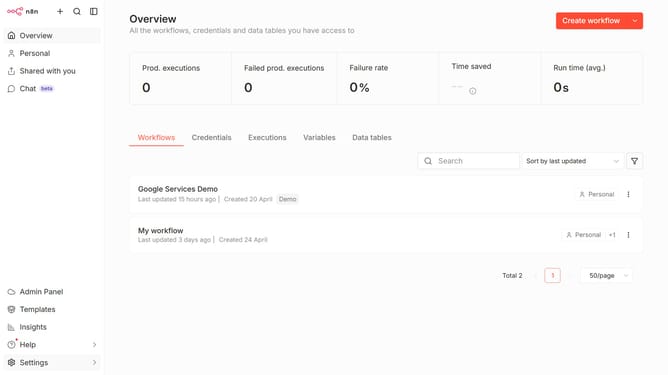
How to create Jina AI API credential in n8n
Here is how to create jina ai api credential in n8n
- First click on the dropdown arrow next to "Create workflow" button
- Then click on "Create credential" button
- Then click on the "Search for app..." input field
- Then type "Jina" into the search input and click on "Jina AI API"
- Then click on the "Continue" button
- Then fill in the input field for "API Key"
- Finally click on the "Save" button
Why should you create Jina AI API credential in n8n
n8n is a dynamic, user-friendly automation platform that empowers users to streamline workflows through intuitive integrations.
Creating Jina AI API credentials in n8n enhances the seamless connection with advanced AI capabilities, expanding the scope of automation possibilities.
By establishing these credentials, users can effortlessly tap into the power of Jina AI, unlocking potent computational assets for data processing or conversational interfaces.
This integration not only optimizes workflow efficiency but also enriches the quality and range of automated tasks, driving overall productivity.
Last update