How to create MQTT credential in n8n
Here is how to create mqtt credential in n8n
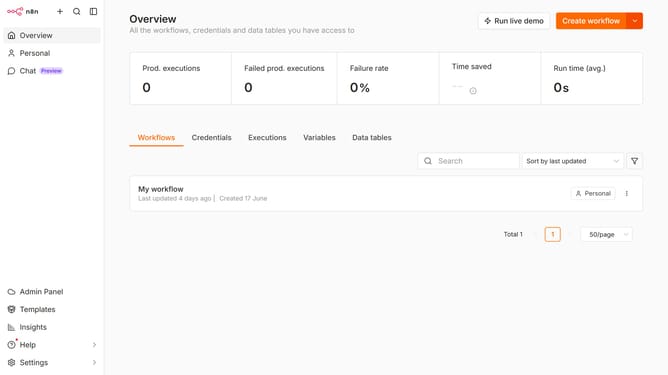
- First click on the dropdown arrow next to 'Create workflow' button.
- Then click on 'Create credential' button.
- Next, search for 'MQTT' by typing into the search bar.
- Then, select 'MQTT' service.
- After that, click on the 'Continue' button.
- Finally, click on the 'Save' button.
Why should you create MQTT credential in n8n
n8n is a powerful workflow automation tool that enables seamless integration across various apps and services.
Creating MQTT credentials in n8n allows users to effortlessly link and manage their IoT devices. This feature empowers users to establish a secure and efficient communication channel between n8n workflows and MQTT brokers, enhancing automation capabilities.
By facilitating real-time data exchange, the MQTT credential feature in n8n supports responsive and efficient process automation, driving productivity and connectivity in IoT environments.
Last update