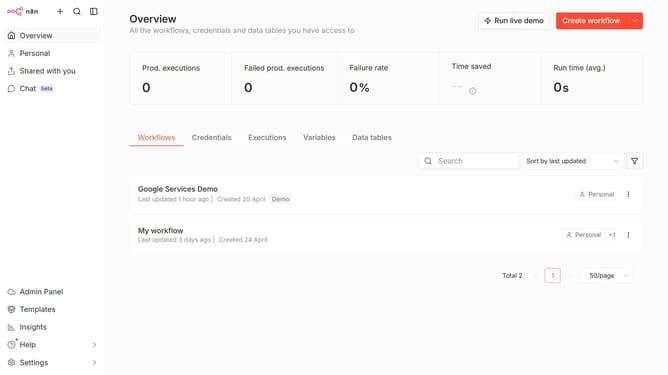
How to create Toggl API credential in n8n
Here is how to create toggl api credential in n8n
- First click on the dropdown arrow next to "Create workflow" button in the top menu
- Then click on "Create credential" option from the dropdown menu
- Next, click on the search input field with the placeholder "Search for app..."
- After that, type "Toggl" into the search field and select "Toggl API" from the search results
- Then click on the "Continue" button
- Next, start filling out the connection details
- Finally, click on the "Save" button
Why should you create Toggl API credential in n8n
n8n is a versatile automation tool designed to seamlessly connect various apps and services.
Creating Toggl API credentials in n8n opens a gateway to effortlessly integrate time tracking within your automated workflows. By bridging these platforms, users can synchronize their projects and track productivity in real-time.
This feature enhances workflow efficiency, ensuring accurate time management and offering insights into project performance. Utilizing Toggl API credentials with n8n thus empowers streamlined processes and informed decision-making.
Last update