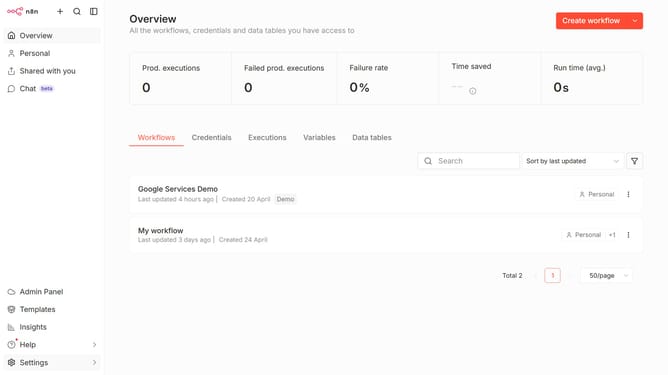
How to create Salesforce OAuth2 API credential in n8n
Here is how to create salesforce oauth2 api credential in n8n
- First click on the dropdown arrow next to "Create workflow"
- Then click on "Create credential"
- Then type "Salesforce" in the "Search for app..." input field
- Then select "Salesforce OAuth2 API"
- Then click on the "Continue" button
- Then fill in the required credential details
- Finally click on the "Connect to Salesforce" button
Why should you create Salesforce OAuth2 API credential in n8n
n8n is an innovative workflow automation tool designed to simplify complex processes.
Creating Salesforce OAuth2 API credentials in n8n can significantly streamline connectivity between your systems. Integrating this feature enhances data flow by maintaining secure connections, saving you valuable time and efforts that would otherwise be spent on manual data exchanges.
This robust feature also ensures secure access to Salesforce data, fostering a trusted environment for reliable data synchronization. By employing Salesforce OAuth2 API credentials in n8n, you empower your workflows with seamless and efficient automation capabilities.
Last update