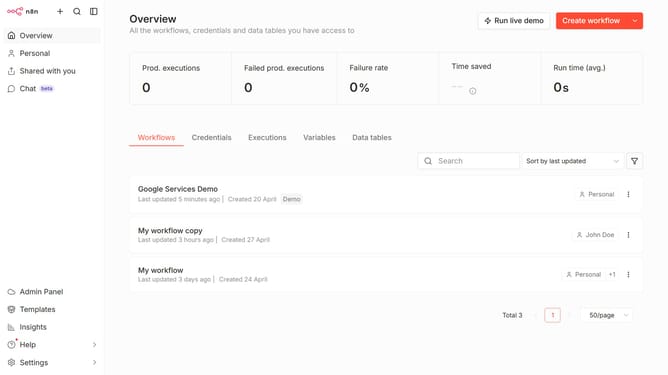
How to create Home Assistant API credential in n8n
Here is how to create home assistant api credential in n8n
- First click on the dropdown arrow next to "Create workflow" button
- Then click on "Create credential" option
- Then click on the search input field and enter "home"
- Then select "Home Assistant API" option
- Then click on "Continue" button
- Then fill in the information for your new credential
- Finally click on the "Save" button
Why should you create Home Assistant API credential in n8n
n8n is an innovative workflow automation tool that empowers users to connect various apps and services seamlessly.
Creating a Home Assistant API credential in n8n is a pivotal feature that enables smooth interaction between your smart home environment and numerous applications. This integration allows you to automate tasks and enhance your home automation setup.
Utilizing Home Assistant API credentials within n8n provides the benefit of centralized control, simplifying the management of diverse devices. This synergy not only boosts efficiency but also enriches your smart home experience.
Last update