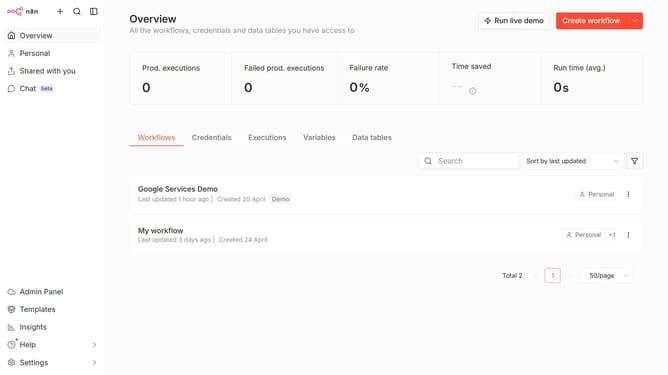
How to create Figma API credential in n8n
Here is how to create figma api credential in n8n
- First click on the dropdown arrow next to "Create workflow" button
- Then click on "Create credential" button
- Then click on the "Search for app..." input field and enter "figma"
- Then select "Figma API" option
- Then click on the "Continue" button
- Then fill in the "Access Token" input field
- Finally click on the "Save" button
Why should you create Figma API credential in n8n
n8n is a powerful automation tool that connects various apps and APIs to streamline workflows effortlessly.
Creating a Figma API credential in n8n empowers designers and developers to seamlessly integrate Figma's functionalities into automated workflows.
This integration enhances productivity by automatically syncing design assets, updating resources, and facilitating real-time collaboration across teams.
Ultimately, utilizing this feature in n8n maximizes efficiency and leverages Figma's capabilities within broader organizational processes.
Last update