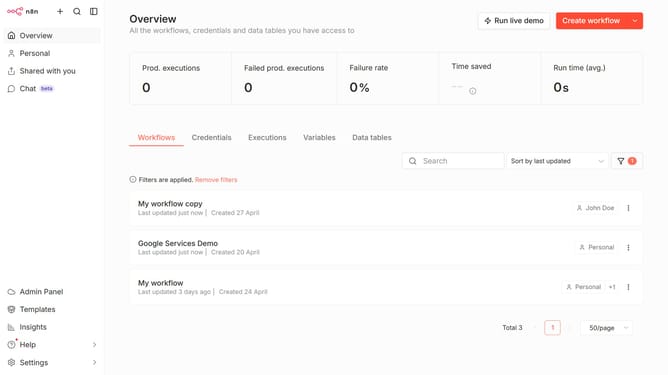
How to create NocoDB credential in n8n
Here is how to create nocodb credential in n8n
- First click on the dropdown arrow next to "Create workflow"
- Then click on "Create credential"
- Next click on the search bar and enter "NocoDB"
- Then click on "NocoDB"
- After that, click on the "Continue" button
- Next fill in the credential details
- Finally click on the "Save" button
Why should you create NocoDB credential in n8n
n8n is a powerful workflow automation tool that connects various apps and services effortlessly.
Creating NocoDB credentials in n8n is a seamless process that expands your automation capabilities. This feature allows you to integrate your NocoDB databases directly into n8n workflows, enhancing data connectivity and efficiency.
By establishing these credentials, you unlock smooth, real-time interaction with your NocoDB data, making your workflows more dynamic and responsive to changing data environments.
Last update