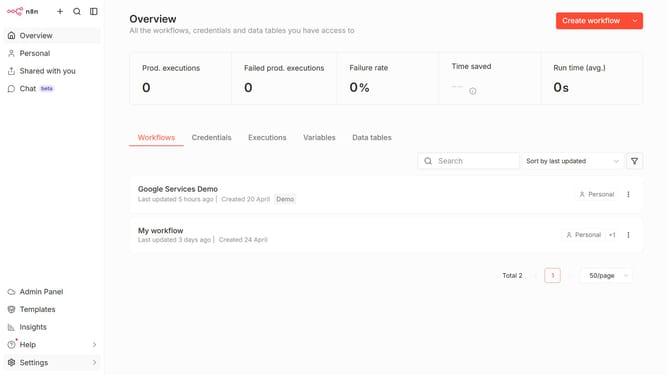
How to create Peekalink API credential in n8n
Here is how to create peekalink api credential in n8n
- First click on the dropdown arrow next to "Create workflow" button.
- Then click on "Create credential" button.
- Next, click on the search input field and enter "Peek".
- Then click on "Peekalink API" option.
- Next, click on the "Continue" button.
- Then fill in the input field for "API Key".
- Finally click on the "Save" button.
Why should you create Peekalink API credential in n8n
n8n is an open-source automation tool that empowers users to seamlessly integrate different services and tools.
Creating a Peekalink API credential in n8n enhances the capability to fetch and display rich link previews, optimizing the user experience in workflows.
Utilizing this feature allows for dynamic link visualization, increasing the engagement and context without needing manual intervention.
This integration streamlines processes by automating link enrichment, which ultimately leads to a more efficient and organized flow of information.
Last update