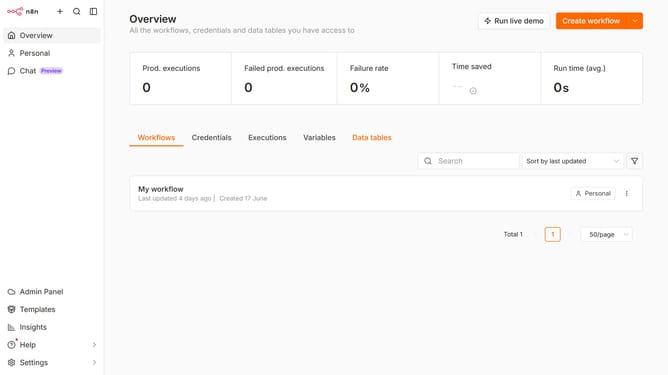
How to create Currents API credential in n8n
Here is how to create currents api credential in n8n
- First click on the dropdown arrow next to "Create workflow" button
- Then click on "Create credential" button
- Then click on the "Search for app..." input field
- Then type "current" in the search input and click on "Currents API" option
- Then click on the "Continue" button
- Then enter the needed information for your new credential
- Finally click on the "Save" button
Why should you create Currents API credential in n8n
n8n is a robust automation platform designed to connect and streamline various applications and workflows effortlessly.
Creating Currents API credentials in n8n enhances your ability to integrate real-time data into your workflows, making automation more dynamic and responsive. This feature facilitates easy access to vital data, enabling you to leverage timely insights efficiently.
By establishing these credentials, you ensure secure and seamless communication between your applications and Currents, optimizing your data-driven processes with minimal friction.
Last update