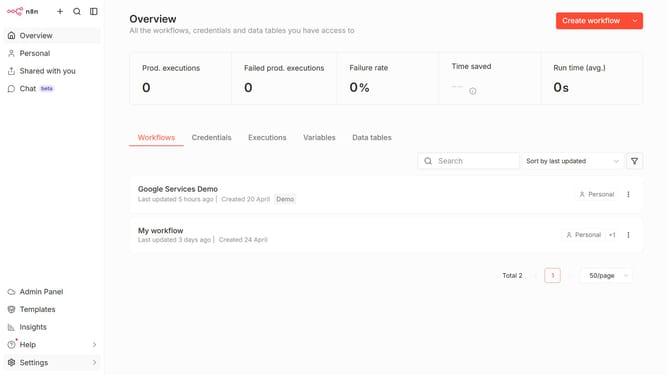
How to create Mocean API credential in n8n
Here is how to create mocean api credential in n8n
- First click on the dropdown arrow next to "Create workflow" in the header
- Then click on "Create credential" button
- Next click on the "Search for app..." input field in the 'Add new credential' dialog
- Then type "Mocean" into the search input and click on "Mocean Api"
- Next click on the "Continue" button
- Then fill in the required credential details
- Finally click on the "Save" button
Why should you create Mocean API credential in n8n
n8n is a powerful automation tool that allows users to seamlessly connect various applications and workflows.
Creating Mocean API credentials in n8n opens the door for enhanced integration capabilities. This feature allows users to communicate directly with Mocean's API, facilitating smoother data operations and automation processes within their workflows.
The ability to create these credentials ensures secure and efficient connections, enabling users to maximize the potential of their automation projects by leveraging Mocean's comprehensive suite of messaging and communication tools.
By empowering users to easily manage these credentials, n8n enhances productivity and supports a streamlined approach to complex workflow automation.
Last update