How to create Jenkins API credential in n8n
Here is how to create jenkins api credential in n8n
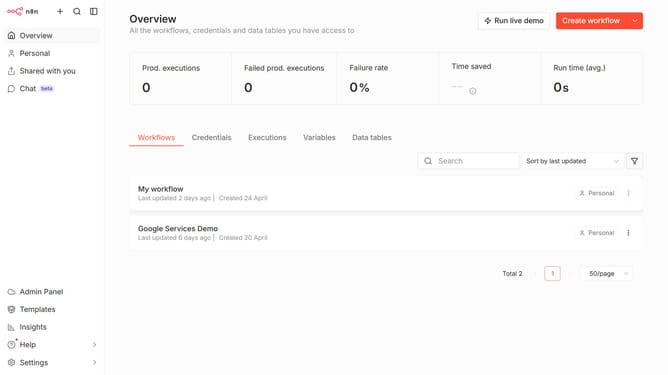
- First click on the dropdown arrow next to "Create workflow" button in the header
- Then click on "Create credential" button
- In the "Add new credential" modal, click on the search input field labeled "Search for app..."
- Type "jenkins" into the search input, then click on "Jenkins API"
- Then click on the "Continue" button
- Then add the details of your new credential
- Finally click on the "Save" button
Why should you create Jenkins API credential in n8n
n8n is a versatile workflow automation tool that bridges various applications effortlessly.
By creating a Jenkins API credential in n8n, users can seamlessly integrate Jenkins automations into their workflows, enhancing operational efficiency.
This feature streamlines how teams trigger Jenkins jobs through automated processes in n8n, reducing manual intervention and saving time.
Such integration ensures robust and automated continuous integration and delivery, vital for modern development cycles, ensuring a smoother, automated outcome.
Last update