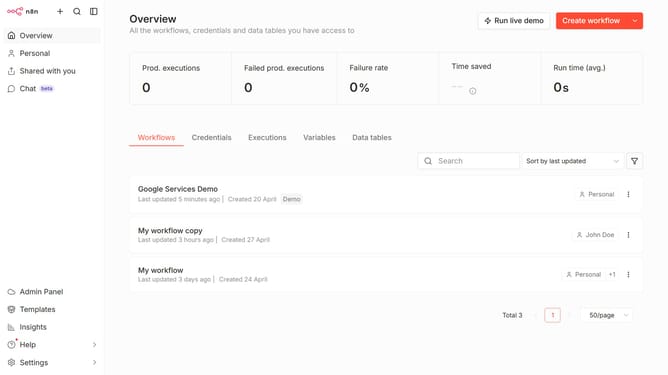
How to create Xero OAuth2 API credential in n8n
Here is how to create xero oauth2 api credential in n8n
- First click on the dropdown arrow next to "Create workflow" button
- Then click on "Create credential" option
- Then click on the "Search for app" input field
- Then type "Xero" into the search input and click on "Xero OAuth2 API"
- Then click on the "Continue" button
- Then fill in the credential details
- Finally click on the "Connect to Xero" button
Why should you create Xero OAuth2 API credential in n8n
n8n is a powerful automation tool designed to connect different applications and automate workflows seamlessly.
Creating Xero OAuth2 API credentials in n8n allows users to integrate Xero with other applications effortlessly, streamlining accounting processes and enhancing productivity. This feature takes away the complexity of manual data handling between systems.
Utilizing Xero OAuth2 API credentials ensures secure and scalable connections, enabling businesses to maintain real-time data synchronization, ultimately driving efficiency and strategic decision-making.
Last update