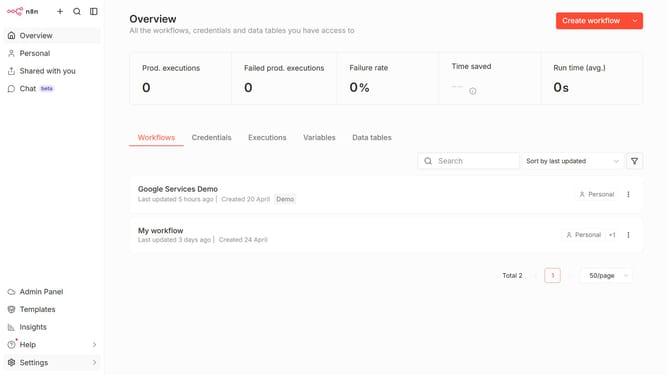
How to create Pinecone API credential in n8n
Here is how to create pinecone api credential in n8n
- First click on the dropdown arrow next to "Create workflow" button
- Then click on "Create credential" button
- Then click on the search input field and enter "Pine"
- Then click on "Pinecone API" option
- Then click on the "Continue" button
- Then fill in the "API Key" input field
- Finally click on the "Save" button
Why should you create Pinecone API credential in n8n
n8n is a powerful automation platform that seamlessly connects various apps and services for streamlined workflows.
Creating Pinecone API credentials in n8n enhances your data processing capabilities by allowing direct interaction with the Pinecone vector database. This feature is crucial for businesses looking to optimize data management and leverage it for machine learning and AI applications.
By integrating Pinecone into n8n, users benefit from automated data handling, increased efficiency, and the ability to draw deeper insights from large datasets swiftly and accurately.
Last update