How to create Pushbullet OAuth2 API credential in n8n
Here is how to create pushbullet oauth2 api credential in n8n
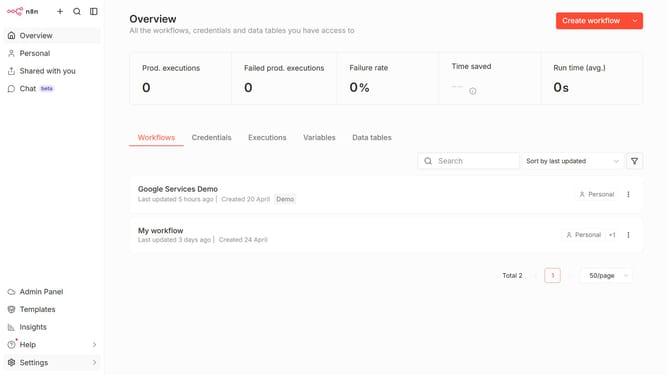
- First click on the dropdown arrow next to "Create workflow" in the header.
- Then click on "Create credential" option in the dropdown menu.
- Next, in the "Add new credential" dialog, click on the "Search for app..." input field.
- After that, type "Pushbullet" into the search field and click on the "Pushbullet OAuth2 API" result.
- Next, click on the "Continue" button in the "Add new credential" dialog.
- Then fill in the required credential details.
- Finally, click on the "Connect to Pushbullet" button.
Why should you create Pushbullet OAuth2 API credential in n8n
n8n is a powerful workflow automation tool that bridges the gap between various services and applications seamlessly.
Creating Pushbullet OAuth2 API credentials within n8n enables users to link their Pushbullet account effortlessly, facilitating an uninterrupted flow of information. By integrating Pushbullet with n8n, you can automate notifications, synchronize messages, and enhance communication efficiency without manual intervention.
Utilizing this integration in n8n not only saves time but also ensures that important alerts are delivered promptly and reliably, optimizing both personal and professional productivity.
Last update