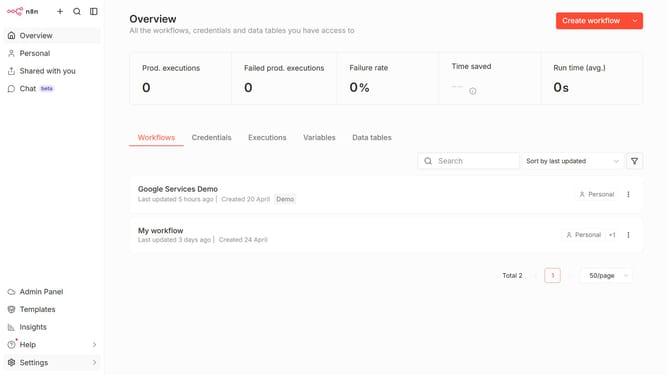
How to create Spotify OAuth2 API credential in n8n
Here is how to create spotify oauth2 api credential in n8n
- First click on the down arrow next to "Create workflow" in the header
- Then click on "Create credential" in the dropdown menu
- Next click on the "Search for app..." input field in the modal
- Then type "Spotify OAuth2 API" into the search field and select the suggestion
- After that, click on the "Continue" button
- Finally click on the "Connect to Spotify" button
Why should you create Spotify OAuth2 API credential in n8n
n8n is a powerful, open-source workflow automation tool designed to streamline tasks across various platforms.
Creating Spotify OAuth2 API credentials in n8n empowers users to securely and seamlessly integrate Spotify into their automated workflows. This feature enhances productivity by allowing direct communication between Spotify and other applications, fostering smooth data transfer and action initiation.
By setting up Spotify OAuth2 API credentials, users enjoy greater control and customization in managing their music-related processes, making their overall workflow more effective and dynamic.
Last update