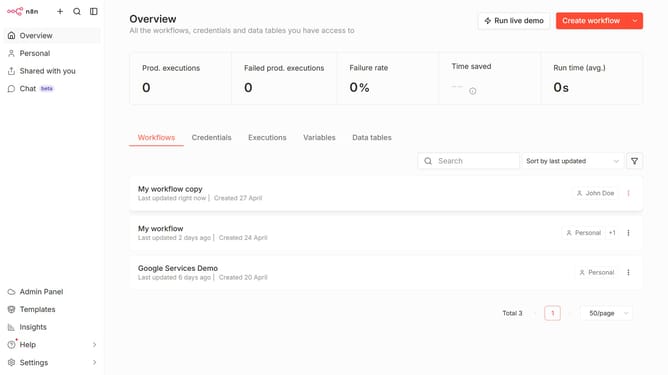
How to create Wufoo API credential in n8n
Here is how to create wufoo api credential in n8n
- First click on the dropdown arrow next to "Create workflow" button
- Then click on "Create credential" item
- Then click on the "Search for app..." input field
- Then type "Wufoo" into the search input and click on "Wufoo API" below
- Then click on the "Continue" button
- Then fill in the credential details
- Finally click on the "Save" button
Why should you create Wufoo API credential in n8n
n8n is a versatile automation tool designed to link various applications seamlessly.
Creating Wufoo API credentials in n8n allows for enhanced workflow automation and efficient data management.
By setting up these credentials, users can securely connect to Wufoo, streamlining form submissions and data collection processes. This integration not only saves time but also reduces manual errors, optimizing productivity.
Embracing this feature can significantly boost organizational efficiency, as n8n simplifies complex tasks with ease and precision.
Last update