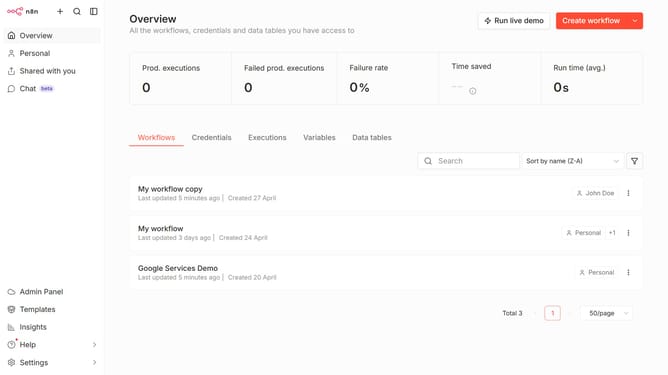
How to create SolarWinds Observability credential in n8n
Here is how to create solarwinds observability credential in n8n
- First click on the dropdown arrow next to "Create workflow" button
- Then click on "Create credential" button
- Next click on the "Search for app..." input field and enter "SolarWinds"
- After that, click on the "SolarWinds IPAM" option
- Then click on the "Continue" button
- Next, fill in the required credential details
- Finally click on the "Save" button
Why should you create SolarWinds Observability credential in n8n
n8n is an open-source automation tool that empowers seamless workflow creation across various applications.
Incorporating SolarWinds Observability credentials within n8n enhances your ability to efficiently monitor and manage your infrastructure. By leveraging this integration, users can automate and streamline their monitoring tasks, allowing for more proactive and data-driven decision-making.
The automation and integrative capabilities of n8n create an environment where operational insights are easily accessible, leading to improved system reliability and performance.
Last update