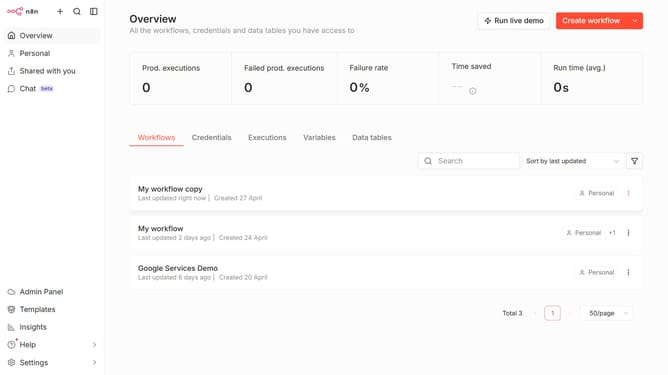
How to create Beeminder API credential in n8n
Here is how to create beeminder api credential in n8n
- First click on the dropdown arrow next to "Create workflow" button
- Then click on "Create credential" option
- Next click on "Beeminder API" item
- Then click on "Continue" button
- Finally click on "Save" button
Why should you create Beeminder API credential in n8n
n8n is a scalable workflow automation tool that connects different apps and services, enabling seamless data flow.
Creating a Beeminder API credential within n8n unlocks enhanced productivity by enabling automated goal tracking. By integrating Beeminder with other tools, users can seamlessly track progress and stay on top of various tasks effortlessly.
This feature provides flexibility for those who strive to achieve goals efficiently, removing the hassle of manual updates and ensuring real-time synchronization for enhanced productivity.
Last update