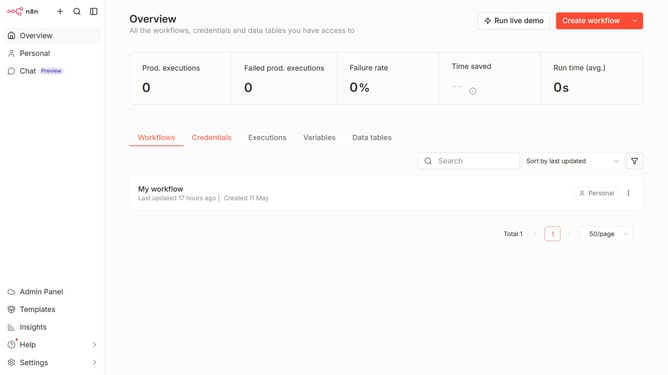
How to create Google Cloud Storage OAuth2 API credential in n8n
Here is how to create google cloud storage oauth2 api credential in n8n
- First click on the down arrow next to "Create workflow" button
- Then click on "Create credential" button
- Then click on the search input field and enter "google cloud"
- Then click on "Google Books API"
- Then click on "Continue" button
- Then fill in the necessary details for your new credential
- Then click on the "Sign in with Google" button
Why should you create Google Cloud Storage OAuth2 API credential in n8n
n8n is a powerful automation tool that connects various applications to streamline processes effortlessly.
By creating Google Cloud Storage OAuth2 API credentials in n8n, users can securely authenticate and integrate with Google's cloud services. This feature empowers users to automate workflows that involve data storage and retrieval in Google Cloud, ensuring seamless connectivity and data management.
Utilizing these credentials enhances the security and efficiency of automated tasks, reducing manual intervention and potential errors, thus optimizing productivity and resource management.
Last update